10 September 2026
3–5 Year TCO: When to Build, Buy, or Buy+Extend Software
A function-by-function framework to decide whether to build, buy, or buy+extend. Use a five-question checklist and a 3–5 year TCO model updated for AI in...
3–5 Year TCO: When to Build, Buy, or Buy+Extend Software
Buy when the function is commodity work, build when the software is your actual competitive edge, and expect most real decisions to land somewhere in between as buy-plus-extend. The math usually favors buying first and building later, since a 3-to-5-year total cost of ownership almost always exposes maintenance and governance costs that a purchase price never shows. AI-assisted development in 2026 shortens the time to build narrow tools, but it doesn’t touch the ongoing upkeep that outlasts the initial code.
TL;DR:
- Building software is best for functions that provide a long-term competitive advantage and require full ownership of data and code, despite higher upfront costs.
- Buying software is ideal for commodity functions that need quick deployment and are unlikely to offer a strategic edge, but it involves risks like vendor lock-in and migration costs.
- A hybrid approach, combining core SaaS platforms with custom extensions, is the most common, but it requires clear ownership and support agreements to avoid support conflicts.
- In AI-assisted development, upfront costs decrease, but ongoing maintenance, governance, and migration expenses remain significant over time.
- Conduct a detailed three- to five-year total cost of ownership comparison, considering upfront, recurring, integration, migration, and opportunity costs before choosing build, buy, or hybrid solutions.
Table of Contents
- Build vs Buy Software: A Quick Checklist to Categorize Your Project
- What Building Custom Software Gives You (And What It Costs)
- What Buying Software Gives You (And Where the Risk Hides)
- Buy Plus Extend: The Hybrid Path Most Teams End Up Choosing
- How to Build a Repeatable Build vs Buy Framework
- Real Examples: When to Buy, Build, or Hybridize
- Vendor Evaluation and the Risks That Sink Buy Decisions
- Why 5quotes Backs the Function-by-Function Approach
- Get Developer Quotes Before You Commit to Build
- Where This Framework Comes From
- Sources
- FAQ
Build vs Buy Software: A Quick Checklist to Categorize Your Project
Before running any formal analysis, five questions will sort most software decisions faster than a spreadsheet.
- Is this function core to how you differentiate from competitors, or is it something every company in your industry needs the same way?
- Do you need full ownership of the underlying data and intellectual property, or is shared vendor infrastructure acceptable?
- Is speed to market the deciding constraint this quarter, or can the team absorb a multi-month build cycle?
- Do mature, well-supported products already exist for this function, or would you be forcing a generic tool to do something it wasn’t built for?
- Is your annual spend on the SaaS alternative already large and climbing year over year?
If your answers point toward differentiation, ownership, and long-term strategic weight, building starts to make sense. Forbes Technical Council members note that building pays off when the software encodes a genuine competitive advantage and the organization can sustain the maintenance load for years rather than just the launch.
Pro Tip: If a project’s strategic importance is measured in years rather than months, treat that as a build signal. Short-term needs and commodity functions almost always point to buy.
When the checklist produces mixed signals, that’s your cue to stop guessing and run a rapid three-year TCO comparison before committing either way. The next few sections walk through exactly how.
What Building Custom Software Gives You (And What It Costs)
Building earns you an exact fit. No feature bloat, no workarounds for a vendor’s design choices, and no per-seat fees eating into margin as your headcount grows. You also keep full ownership of your data and intellectual property, and you control the product roadmap instead of waiting on a vendor’s release calendar.
Those benefits come with a bill that starts before a single line of code ships:
- Discovery and scoping to define what the software actually needs to do
- UX and technical design work
- Development, including whatever integrations the system requires
- Quality assurance and security testing
- Infrastructure setup for hosting, storage, and deployment
That’s the upfront half. The recurring half is where most build decisions quietly go wrong. Academic and practitioner analysis on software lifecycle costs consistently shows that ongoing maintenance and governance carry real, sustained overhead that has to be budgeted from day one, not discovered a year later. A commonly cited rule of thumb puts annual maintenance at a moderate percentage of the original build cost. Patch a security flaw, update a dependency, retrain a developer who inherited someone else’s code, and that bill compounds every year the software stays in production.
Three risk categories deserve a line item in your planning, not a footnote:
- Developer turnover. Custom systems live or die on institutional knowledge. When the person who built it leaves, the next hire spends weeks just reading code before they can safely touch it.
- Technical debt. Shortcuts taken to hit a launch date become permanent fixtures unless someone schedules time to pay them down, and that time rarely gets scheduled voluntarily.
- Governance and compliance obligations. Custom software inherits every regulatory requirement your industry imposes, and unlike a vendor product, you own the audit trail, the documentation, and the fix when something breaks.
Building isn’t wrong. It’s just a longer commitment than the initial quote suggests, and the organizations that succeed with it plan for the tail, not just the launch.
What Buying Software Gives You (And Where the Risk Hides)
Buying gets you running in weeks instead of months. The vendor handles maintenance, security patching, and feature development, and you get a support line and a service level agreement instead of an internal ticket queue. For functions every company needs in roughly the same shape, this is usually the faster and cheaper path, at least at first glance.
The costs are more visible but still worth modeling carefully:
- License or subscription fees, which often scale with seats or usage
- Enterprise-tier pricing once you cross a user or feature threshold
- Per-feature add-on charges that weren’t obvious in the initial quote
- Integration and customization work to connect the tool to everything else you run
The risks that don’t show up on the pricing page are the ones that hurt most. Vendor lock-in is the big one: once your workflows, data structures, and staff training are built around a platform, switching costs climb fast. A vendor’s product roadmap might drift away from your needs entirely, leaving you paying for a direction you never chose. And when you do want out, data export friction and migration costs can turn a “simple switch” into a multi-month project of its own.
Buying is the right move when the function is genuinely commodity work (payroll, basic CRM, helpdesk ticketing), when you’re validating a new process before committing capital to build it, or when a competitor is moving and you need something live now rather than in six months. Zylo’s analysis of build vs buy economics frames this increasingly as a three-way choice rather than a binary, and buying with a plan to extend later is often the smartest version of “buy.”
Buy Plus Extend: The Hybrid Path Most Teams End Up Choosing
Most organizations don’t pick a pure build or a pure buy; many embrace a professional services automation approach that blends both strategies. They license a core platform for the commodity parts of the job and build a thin layer on top for whatever actually differentiates them. That layer might be a custom integration connecting the vendor’s API to internal systems, a plugin built through the platform’s own marketplace, or a low-code app sitting on top of the vendor’s data model.

The appeal is obvious: you get the speed of a mature core product plus ownership of the piece that actually matters to your customers or your margins. The catch is that you now run two support models instead of one. When something breaks, is it the vendor’s problem or yours? Answering that clearly before launch saves weeks of finger-pointing later.
Before committing to a hybrid build, check four things:
- Does the vendor expose a real, documented API, or just a marketing promise of one?
- Are there defined extension points, or will you be reverse-engineering undocumented behavior?
- Will your custom layer survive the vendor’s next major upgrade, or does it need to be rebuilt every release cycle?
- Does the vendor’s licensing terms actually permit the kind of extension or integration you’re planning?
Pro Tip: Write down who owns each layer and what the support SLA is for the custom piece before a single developer starts. “We’ll figure it out later” is how hybrid projects turn into orphaned code nobody wants to touch.
How to Build a Repeatable Build vs Buy Framework
Treat every function, not the whole software stack, as its own decision. This is the core of the Gartner pace-layered approach, which separates systems of record, systems of differentiation, and systems of innovation, and routes each layer differently instead of forcing one binary answer across a company’s entire technology portfolio, as AppDirect explains in its breakdown of the model. A payroll system and a proprietary pricing engine don’t belong in the same bucket, even if they sit in the same department.
A workable version of this scoring approach, drawn from Founding, rates each capability on two five-point scales: how much it differentiates you from competitors, and how commoditized the existing market solutions are. High differentiation and low commoditization point to build. Low differentiation and high commoditization point to buy. Anything in the middle is a hybrid candidate worth a closer look.
Once a function lands in “worth analyzing further,” run the numbers with a real three-to-five-year TCO comparison instead of relying on gut feel:
- Estimate upfront costs for both paths. Development and QA for build; license fees and implementation for buy.
- Model recurring maintenance and hosting. Apply the 15% to 25% annual maintenance benchmark for build, and project subscription costs including expected price increases for buy.
- Project license growth. Seat-based and usage-based pricing rarely stays flat as headcount or transaction volume grows; model year three and year five, not just year one.
- Add integration costs. Neither path is free to connect to your existing systems, but the shape of that cost differs sharply between a custom build and a vendor API.
- Include migration costs. If buying now might mean switching platforms later, price that exit before you sign the first contract.
- Account for opportunity costs. What is your engineering team not doing while they build this instead of shipping something else?
- Run a sensitivity check. Flex your assumptions on maintenance percentage, license growth rate, and team size to see how fragile the “winning” option really is.
Here’s where 2026 changes the math without flipping it entirely. AI-assisted development tools have meaningfully cut the time and cost of building narrow, well-scoped internal tools, and that shows up directly in step one of the TCO model, the upfront development estimate. What AI tooling does not touch is steps two through six. Governance, maintenance, security patching, and upgrade compatibility remain human responsibilities regardless of how fast the first version got written, a distinction the Zylo build vs buy analysis makes explicit when discussing where AI-assisted development actually moves the needle.
Teams that model the AI savings across the entire TCO instead of just the upfront cost consistently underestimate what the software will actually cost them by year three.
Real Examples: When to Buy, Build, or Hybridize
The abstract framework gets easier to apply once you map it against functions most companies actually run into.
Buy without much debate: Payroll, standard accounting software, basic CRM, and helpdesk ticketing are about as commodity as software gets. Every vendor in these categories has already solved the hard problems, and building your own version means re-solving problems that added zero competitive value the first time around. Founding.dev’s guidance is blunt on this point: build decisions should track whether the software encodes your differentiating operations, and payroll simply doesn’t.
Build with intention: Customer-facing features that define your product’s actual value proposition, proprietary data processing pipelines unique to your business model, and internal platforms handling regulated data with requirements no off-the-shelf tool fully satisfies. These are the cases where the multi-year maintenance commitment is worth carrying.
Hybridize as the default: An ecommerce platform with a custom checkout flow. A SaaS CRM with a custom analytics layer bolted on through its API. Any scenario where the core function is commodity but one specific workflow is where your business actually wins or loses customers.
On timing, patience is sometimes the smartest move. Forbes Councils’ 2026 coverage of the build vs buy question points to a third option that’s gaining real traction: waiting. In categories where vendor landscapes are shifting fast, particularly around emergent AI-native platforms, committing to either a build or a long-term contract too early can lock you into an approach that looks outdated within a year. Buying short-term with a month-to-month or annual contract, while deferring a bigger build-or-buy commitment until the market settles, is a legitimate strategy, not indecision.
Vendor Evaluation and the Risks That Sink Buy Decisions
A weak vendor evaluation is how “buy” decisions turn expensive years after signing. Before committing budget, ThoughtWorks’ build vs buy guidance recommends checking technical fundamentals, security posture and SLA terms, the vendor’s product roadmap and how much influence you’d have over it, and the vendor’s financial stability, since a vendor that folds in year two is a build decision you didn’t choose to make.
Run through these before signing anything:
- What does the SLA guarantee for uptime, response time, and resolution time, and what happens if the vendor misses it?
- How mature is the vendor’s export and API access, and could you actually get your data out cleanly if you needed to leave?
- What’s on the public roadmap, and does the vendor let customers influence prioritization or just announce features after the fact?
- How financially stable is the company, particularly if it’s a smaller or venture-backed vendor?
- What’s the upgrade policy, and will a future version break your existing integrations?
Contract negotiation is where these questions turn into protection. Push for data portability clauses, exit assistance commitments, and clearly defined upgrade paths written into the agreement, not just promised verbally by a sales team.
| Risk area | Question to ask | Why it matters |
|---|---|---|
| Lock-in | Can we export our data in a usable format? | Determines real switching cost later |
| SLA gaps | What’s the penalty for missed uptime? | Protects operational continuity |
| Roadmap mismatch | Do we get a say in what ships next? | Avoids paying for a direction you didn’t choose |
| Financial stability | Is the vendor profitable or reliant on funding rounds? | A vendor collapse forces an unplanned build |
Governance matters just as much for hybrid layers as for pure buy decisions. Someone on your team needs to own the custom integration, someone needs a defined incident response plan for when it breaks, and that ownership needs to be assigned before launch, not discovered during an outage.
ThoughtWorks also stresses that a vendor selection is never permanent. Revisit these decisions annually as usage patterns shift and vendor landscapes change, especially in categories moving as fast as AI tooling is right now.
Why 5quotes Backs the Function-by-Function Approach
We built our framework around the same principle running through this whole guide: score the function, not the whole project. When a client comes to us trying to decide whether a piece of software should be built or bought, the honest answer is almost always “it depends on which part you mean,” and breaking a project into its differentiating and commodity pieces is what turns a vague build vs buy debate into a decision someone can actually act on.
That’s also why we push clients toward comparing multiple developer quotes rather than committing to the first proposal. A single quote tells you what one developer thinks your build should cost. Several quotes tell you the real range, and the gaps between them usually reveal which parts of the project are genuinely custom work and which parts a developer is padding.
— 5Quotes
Get Developer Quotes Before You Commit to Build
Once your framework points toward building or extending, the next real cost is finding a developer who won’t overquote a commodity feature or underquote the custom piece that actually matters. 5quotes helps by connecting you with developers and providing multiple tailored quotes for your project, so you’re comparing real numbers instead of guessing at a range.
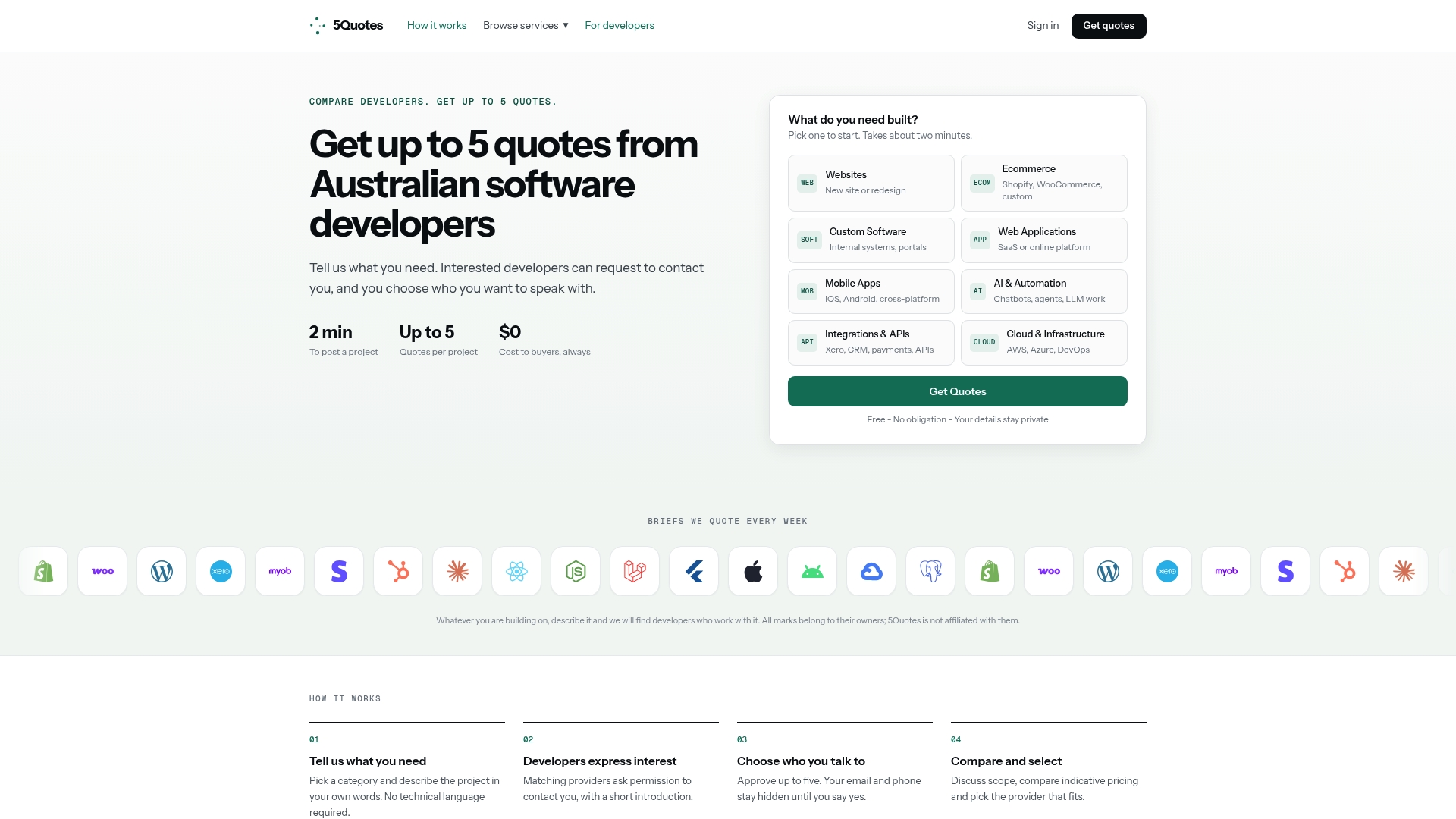
Use a platform that connects you to developers whether you’re commissioning a full custom build, a phased project that starts with a core buy and extends over time, or a hybrid integration layer on top of an existing SaaS platform. Post your project once and the developers who respond have already been screened, so you’re not fielding unsolicited pitches while you’re still trying to scope the work. If your checklist pointed toward building or hybridizing, start by posting your project for custom software development and see what real quotes look like before you commit budget to either path.
Where This Framework Comes From
This guide draws on frameworks and analysis from sources worth reading directly if you’re running a formal evaluation:
- ThoughtWorks’ build vs buy e-book for vendor evaluation criteria and governance guidance.
- AppDirect’s breakdown of the Gartner pace-layered model for function-by-function routing.
- Zylo’s 2026 analysis on how AI-assisted development is reshaping build economics.
Sources
- Build vs. Buy: Factors to Consider When Making a Software Decision - AppDirect
- Build vs Buy Software: Pros and Cons, Costs, and How to Decide - Zylo
FAQ
What Is the Difference Between Building and Buying Software?
Building means developing custom software in-house or through a hired developer, giving you full control and ownership but requiring you to fund development and maintenance yourself. Buying means licensing an existing product from a vendor, trading control for speed and shared maintenance.
Is It Better to Buy or Build Software?
Buying is usually better for commodity functions like payroll or basic CRM, while building makes sense when the software genuinely differentiates your business and you can sustain years of maintenance. Most real projects end up as a hybrid, buying a core platform and building a custom layer on top.
What Does Buy vs Build Mean in Software Decisions?
Buy vs build describes the choice between purchasing an existing software product and developing a custom one for your specific needs. Modern guidance increasingly treats it as a three-way choice that includes buying a core product and extending it with custom development.
What Does “Build” Mean in Software Development?
Building means designing, developing, testing, and maintaining custom software specifically for your organization’s requirements, rather than licensing an existing product. It gives you full ownership of the code and data but places all ongoing maintenance and security responsibility on you or your development partner.
How Do I Get Quotes for a Custom Software Build?
Platforms like 5quotes let you post your project once and receive up to five tailored quotes from vetted New Zealand developers, giving you a real comparison before committing budget to a build.
Recommended
Read next
Getting this built?
Tell us what you need and compare up to 5 quotes from developers who do this work.
Get quotes